

Introduction
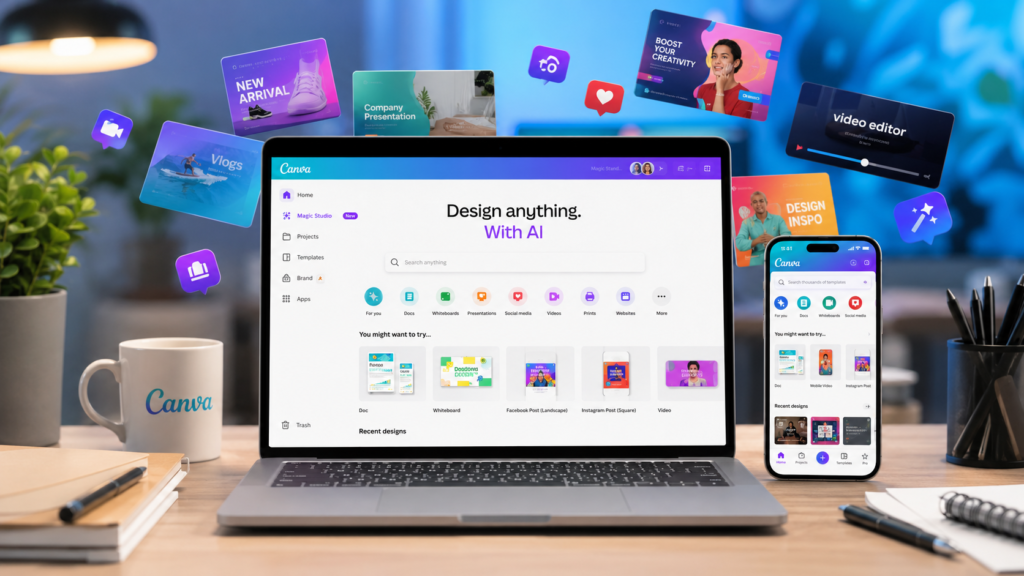
Creating professional graphics, presentations, videos, and social media content no longer requires years of design experience. Canva AI Photo & Video Editor makes creative work accessible to everyone by combining an intuitive drag and drop interface with powerful artificial intelligence tools.
Whether you’re a student preparing presentations, a business owner building marketing materials, a content creator producing videos, or a social media manager designing daily posts, Canva offers an all in one creative workspace that simplifies the entire design process.
In this review, we’ll explore what makes Canva one of the world’s most popular creative applications, examine its standout features, compare it with leading competitors, and help you decide whether it’s the right design platform for your needs.
Quick App Details
| Information | Details |
|---|---|
| Application Name | Canva AI Photo & Video Editor |
| Developer | Canva |
| Category | Art & Design |
| Platform | Android, iOS, Web, Windows, macOS |
| Latest Version | Varies by device |
| App Size | Varies by device |
| In App Purchases | Yes |
| Free Version | Available |
| Premium Version | Canva Pro |
Key Features
One of the biggest reasons behind Canva’s popularity is its extensive collection of creative tools designed for users of all skill levels.
AI Powered Design Tools
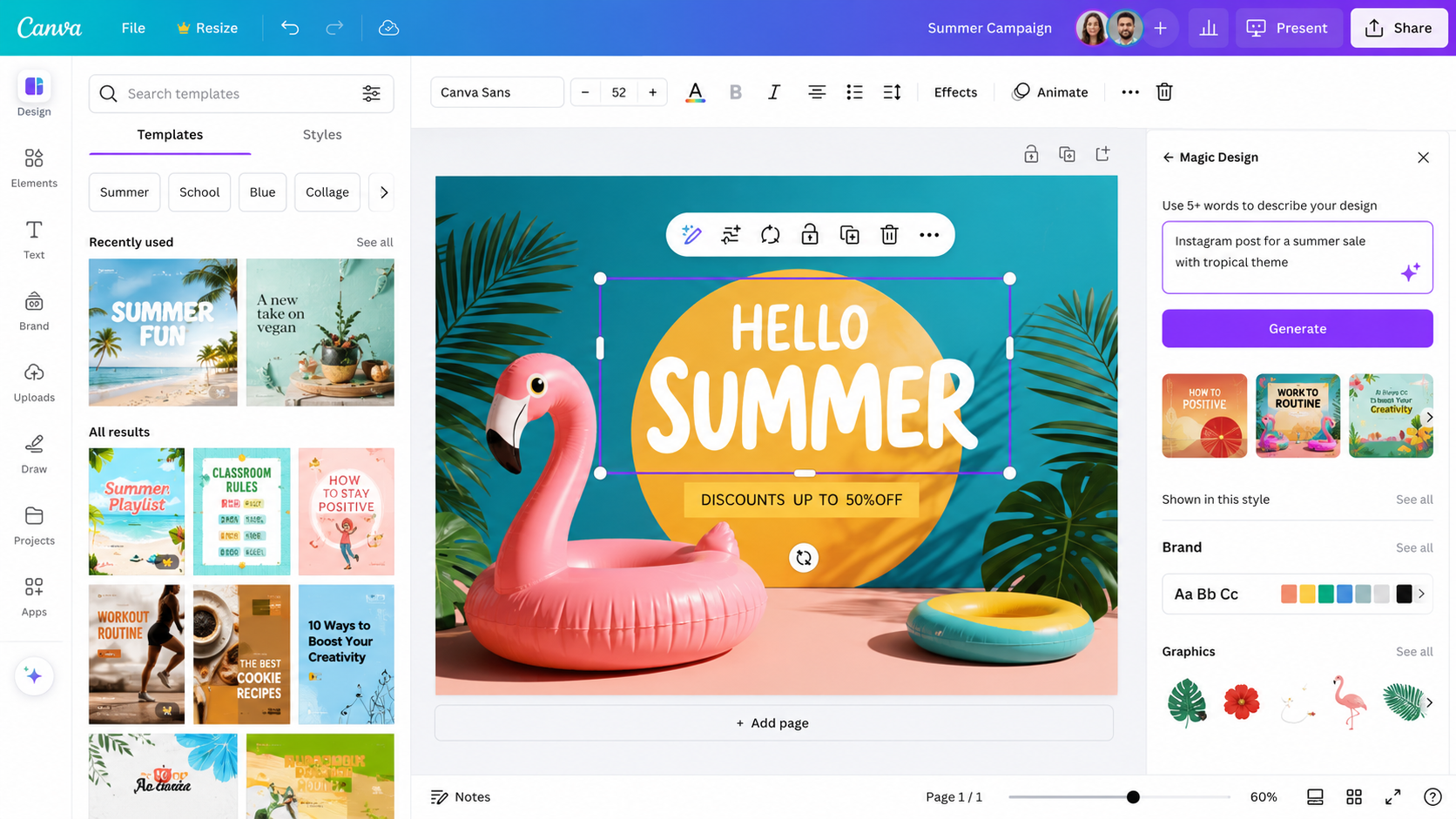
Canva integrates advanced artificial intelligence to speed up creative workflows. Features like Magic Design, Magic Write, Magic Edit, AI Image Generation, Background Remover, and Magic Eraser help users create polished content with minimal effort.
Thousands of Professional Templates
Users can choose from an extensive library of professionally designed templates for:
- Instagram Posts
- Facebook Ads
- TikTok Videos
- YouTube Thumbnails
- Presentations
- Flyers
- Posters
- Invitations
- Business Cards
- Resumes
- Logos
- Infographics
Drag and Drop Editor
The intuitive drag and drop editor allows anyone to customize designs without needing graphic design experience. Text, images, icons, videos, animations, and effects can all be edited with just a few clicks.
Powerful Photo Editing
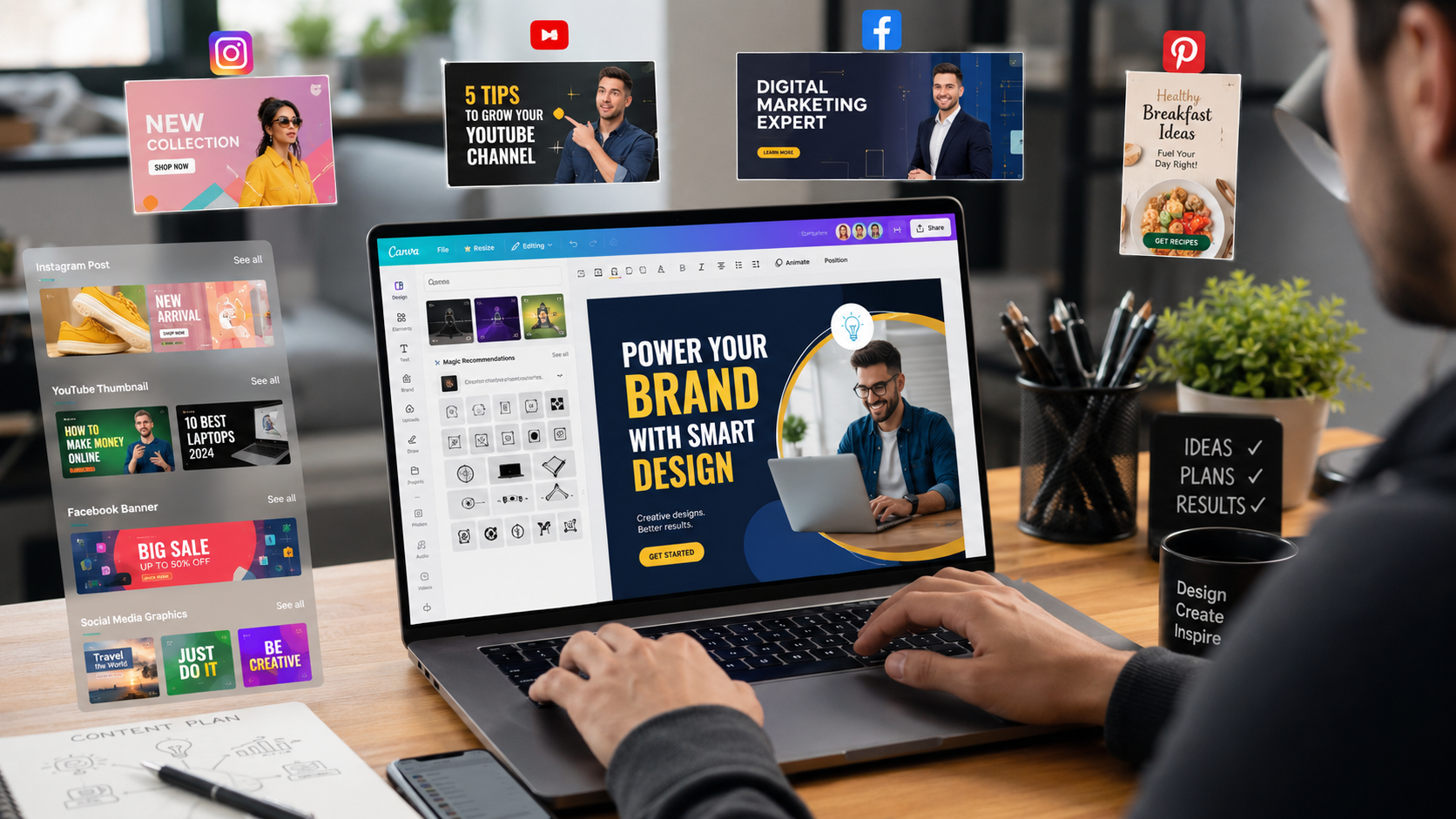
The built in photo editor includes tools for:
- Background Removal
- AI Photo Enhancement
- Filters
- Cropping
- Blur Effects
- Object Eraser
- Color Adjustments
- Portrait Retouching
Video Editing
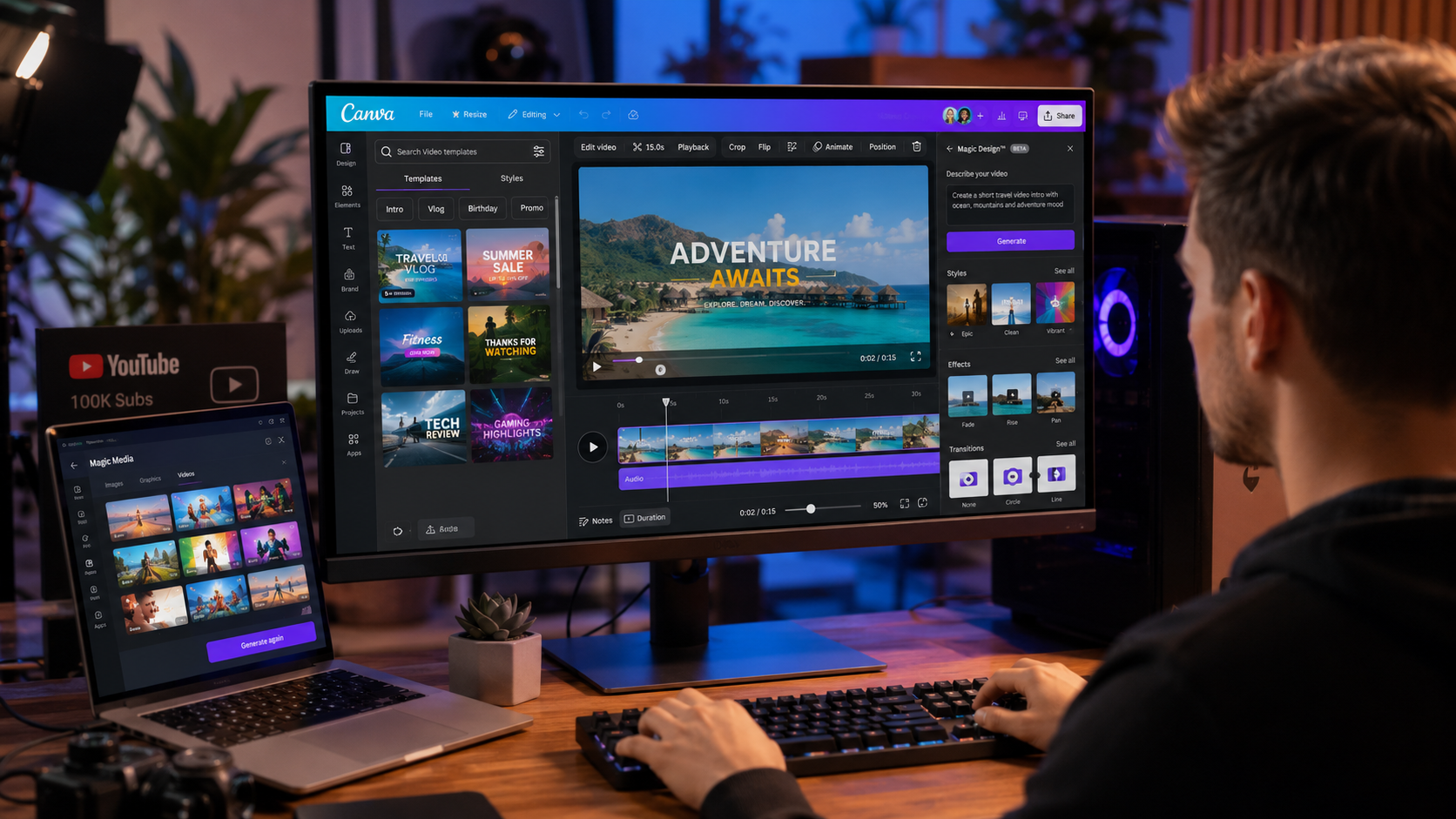
Canva is more than a graphic design platform. Users can also:
- Trim videos
- Add transitions
- Insert music
- Apply animations
- Create reels
- Export HD videos
- Produce presentations with narration
Real Time Collaboration
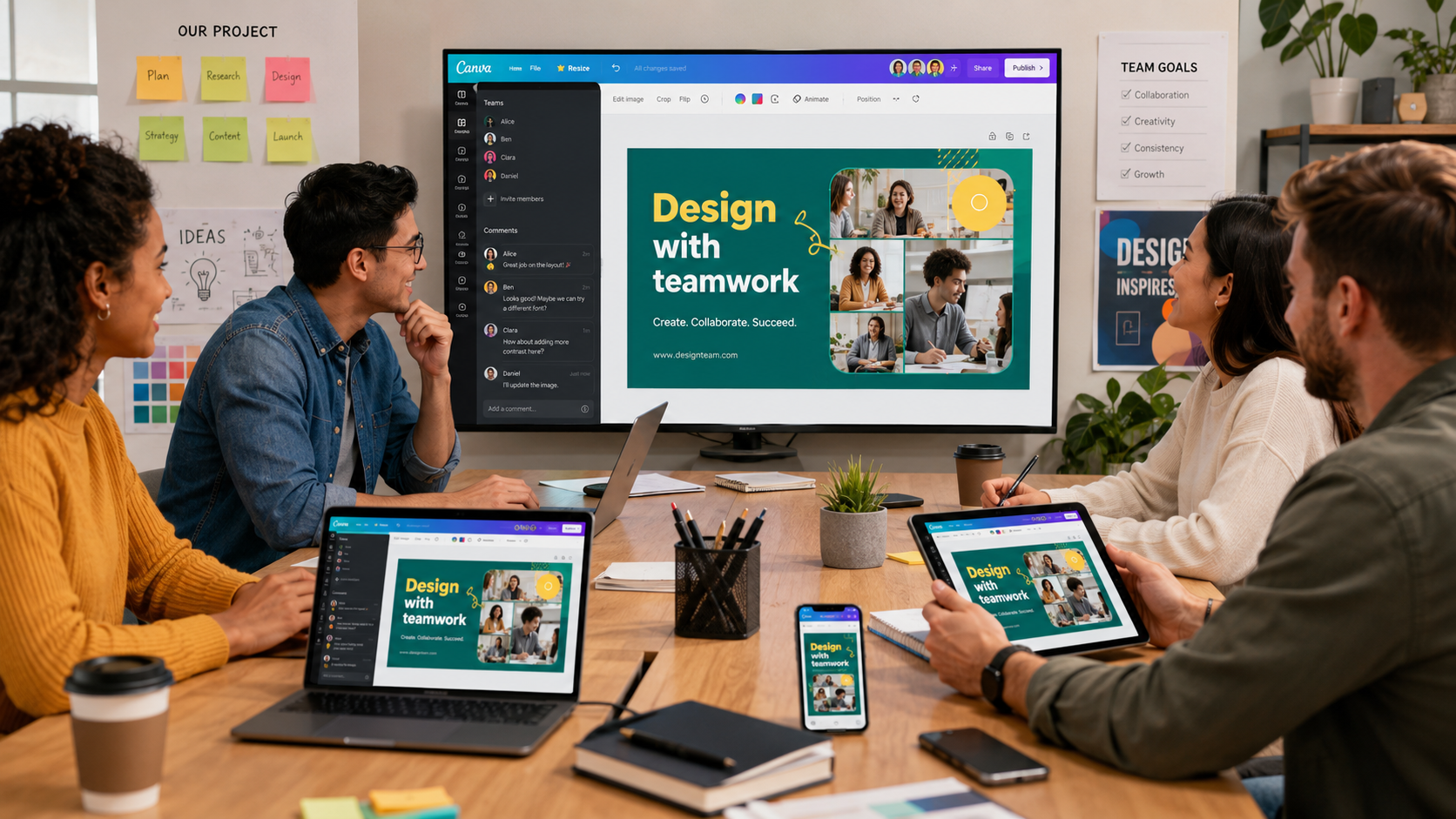
Teams can work together on projects simultaneously by sharing editable links, leaving comments, assigning tasks, and managing brand assets through shared workspaces.
Cloud Synchronization
Every project is automatically saved to the cloud, allowing users to continue working seamlessly across smartphones, tablets, laptops, and desktop computers.
Brand Management
Businesses can maintain a consistent visual identity using Brand Kits that store logos, fonts, color palettes, and reusable templates.
Extensive Content Library
Canva provides access to millions of creative assets, including:
- Stock Photos
- Videos
- Audio Tracks
- Illustrations
- Icons
- Stickers
- Fonts
- Shapes
- Charts
- Design Elements
Export and Sharing Options
Users can publish or download projects in multiple formats, including PNG, JPG, PDF, MP4, GIF, and more. Direct sharing to social media platforms further streamlines content publishing.
Pros
Canva has earned its reputation as one of the best all in one creative platforms by combining simplicity with powerful AI tools. Here are its biggest strengths.
- Beginner friendly interface with virtually no learning curve
- Thousands of professionally designed templates
- AI powered design assistance for faster content creation
- Excellent photo editing and video editing capabilities
- Cross platform synchronization across Android, iOS, Windows, Mac, and Web
- Massive library of royalty free photos, videos, icons, and fonts
- Real time collaboration for teams and businesses
- Cloud based storage keeps projects accessible anywhere
- Regular feature updates with new AI capabilities
- Free version offers impressive functionality for most users
Cons
Despite its many advantages, Canva does have a few limitations.
- Some premium templates and assets require a Canva Pro subscription
- Advanced video editing is less powerful than dedicated editors
- Large projects may perform slower on older mobile devices
- Internet connection is required for most features
- Limited offline functionality
- Certain AI tools have daily usage limits for free users
Comparison with Leading Competitors
| Feature | Canva | Adobe Express | Microsoft Designer |
|---|---|---|---|
| User Interface | Excellent and beginner friendly | Modern but slightly more complex | Clean and simple |
| AI Design Tools | Excellent | Excellent | Very Good |
| Photo Editing | Excellent | Excellent | Good |
| Video Editing | Excellent | Good | Basic |
| Templates | Massive collection | Large collection | Moderate |
| Cloud Sync | Yes | Yes | Yes |
| Team Collaboration | Excellent | Good | Basic |
| Brand Kit | Available with Pro | Available | Limited |
| Learning Curve | Very Easy | Moderate | Very Easy |
| Free Version | Very Generous | Good | Good |
| Platform Support | Android, iOS, Web, Windows, Mac | Android, iOS, Web | Web, Mobile |
Canva stands out because it combines graphic design, presentation creation, AI image generation, video editing, social media publishing, and team collaboration into a single platform. While Adobe Express offers excellent creative tools and Microsoft Designer provides strong AI assistance, Canva delivers the most complete experience for beginners, professionals, educators, marketers, and businesses alike. (Google Play)
Who Should Use Canva?
Canva is suitable for a wide variety of users.
- Social media creators
- YouTubers
- Small business owners
- Marketing professionals
- Students
- Teachers
- Freelancers
- Graphic designers
- Bloggers
- Digital agencies
- Entrepreneurs
- Content creators
Whether you need Instagram posts, YouTube thumbnails, presentations, resumes, business cards, promotional videos, or marketing materials, Canva provides an efficient workflow that helps turn ideas into polished designs quickly.
Performance and User Experience
One of Canva’s biggest strengths is its balance between simplicity and capability. Even first time users can begin creating professional looking content within minutes thanks to its intuitive drag and drop interface.
The app performs smoothly on most modern Android devices and synchronizes projects almost instantly across multiple platforms. Cloud storage ensures that your work remains available whether you are designing on your smartphone, tablet, or desktop. (Google Play)
The introduction of AI powered features such as Canva AI, Magic Edit, Magic Eraser, Magic Write, Text to Image, Translate, and AI Video generation further improves productivity by reducing repetitive editing tasks. These tools help users create high quality content in significantly less time. (Google Play)
Security and Privacy
Canva uses encrypted data transmission and provides account security features suitable for personal and professional use. Users can also request deletion of their personal data. Like most cloud based creative platforms, some personal information and project data are collected to provide synchronization and collaboration features. Users should review the privacy policy to understand available controls. (Google Play)
Is Canva Worth Downloading?
If you regularly create graphics, presentations, videos, social media posts, resumes, marketing materials, or business documents, Canva is one of the most valuable creative apps available today.
Its combination of AI powered design tools, extensive template library, collaborative workspace, and cross platform compatibility makes it suitable for nearly every type of creator.
The free version is powerful enough for most individuals, while Canva Pro unlocks advanced branding features, premium assets, AI capabilities, and workflow tools for professionals and businesses.
Final Verdict
Canva continues to lead the online design industry by making professional quality content creation accessible to everyone. Whether you are designing your first Instagram post or managing branding for a large organization, Canva offers an outstanding balance of simplicity, speed, and powerful creative features.
Its AI powered workflow, enormous asset library, cloud synchronization, and intuitive interface make it one of the best graphic design applications currently available. While power users may still rely on specialized software for highly advanced editing, Canva remains the best all around choice for everyday creative work.
Rating: ⭐⭐⭐⭐⭐ (4.9/5)
If you’re looking for an easy to use yet feature rich design platform, Canva AI Photo & Video Editor is highly recommended. Download it today and start creating professional quality graphics, presentations, videos, and marketing content in minutes. (Google Play)